

MiniMoon Logo
Mac and iOS music player

MiniMoon

A local-first Mac and iOS music player built for collectors who care about albums, files, and metadata.

Also on iPhone & iPadDownload on the App Store

MiniMoon for Mac requires macOS 26 or later and an Apple silicon Mac.

Local-first
Your files stay yours
Format coverage
MP3, AAC, FLAC, Opus, AIF
No subscription
One-time purchase

Built for collectors

Made just for music

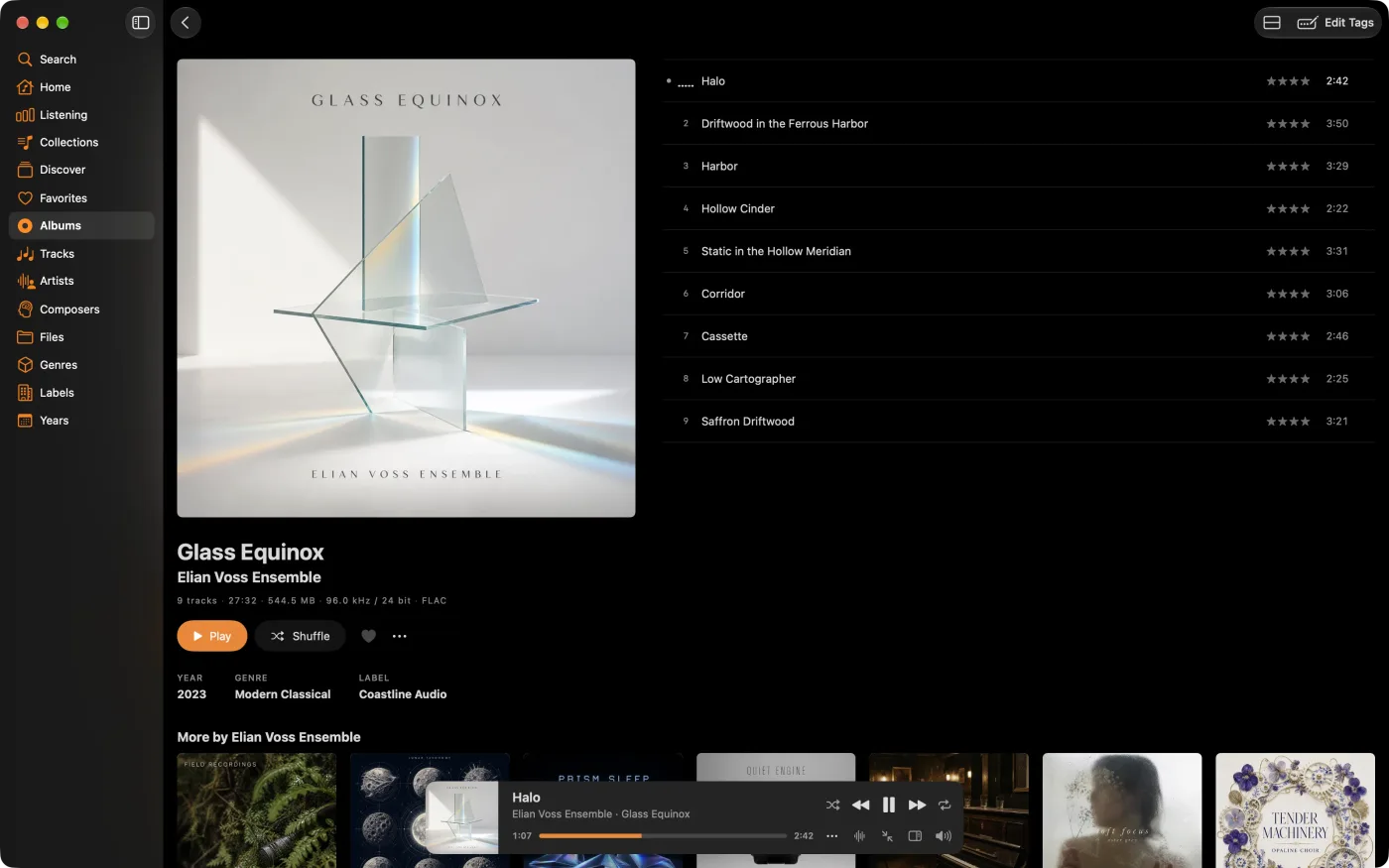
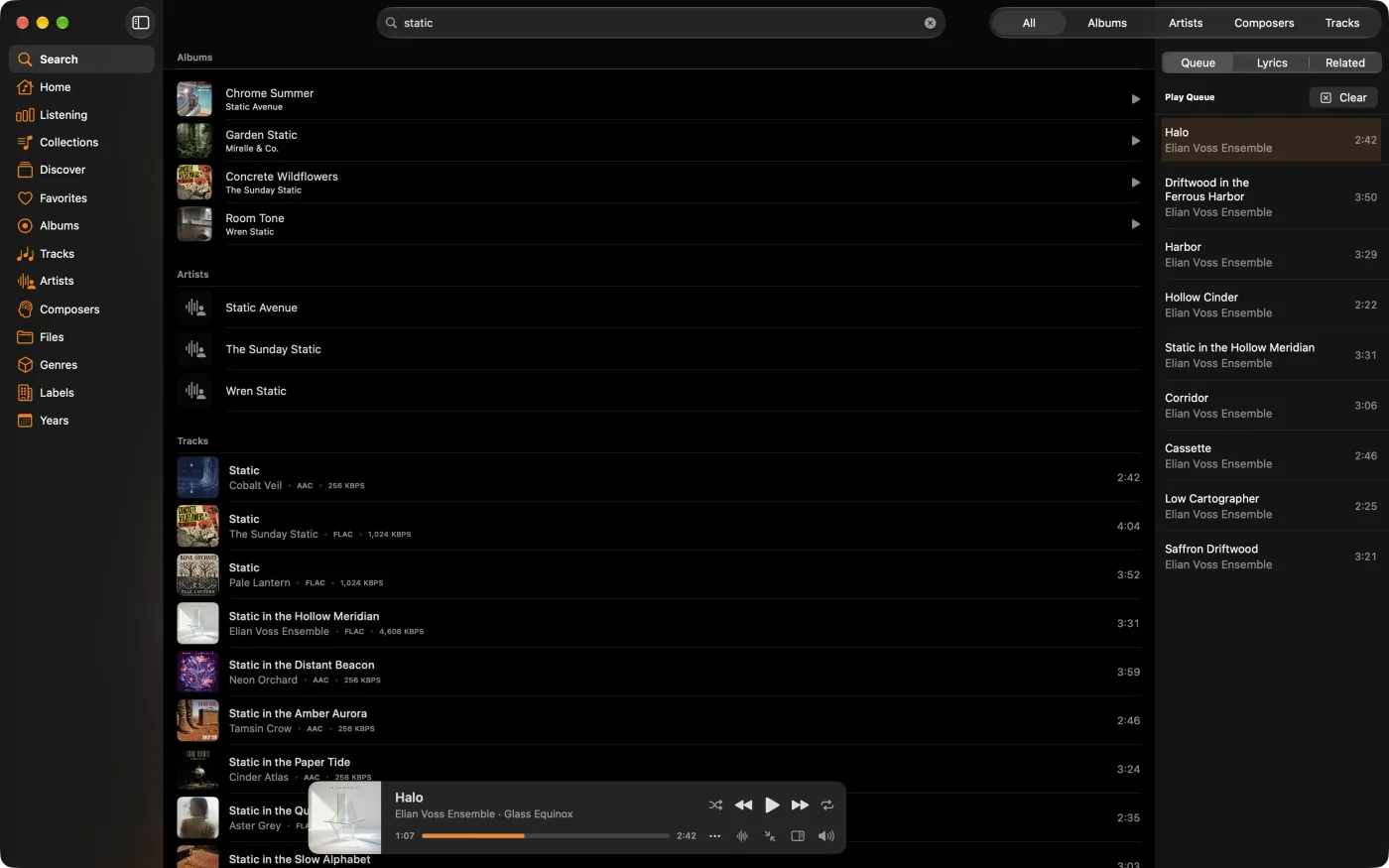
MiniMoon stays out of the way and lets the collection breathe. Artwork runs full-screen, lists stay clean, and metadata stays precise, so browsing your local library feels closer to flipping through a shelf than querying a database.

Collector’s pledge

Local-first
  • A Mac and iOS player with no feeds and no algorithmic clutter
  • Metadata editing, artwork tools, and smart collections built in
  • Fast search and readable themes that hold up over long sessions
  • MiniMoon Sync keeps the desktop and mobile libraries in step

Design your home

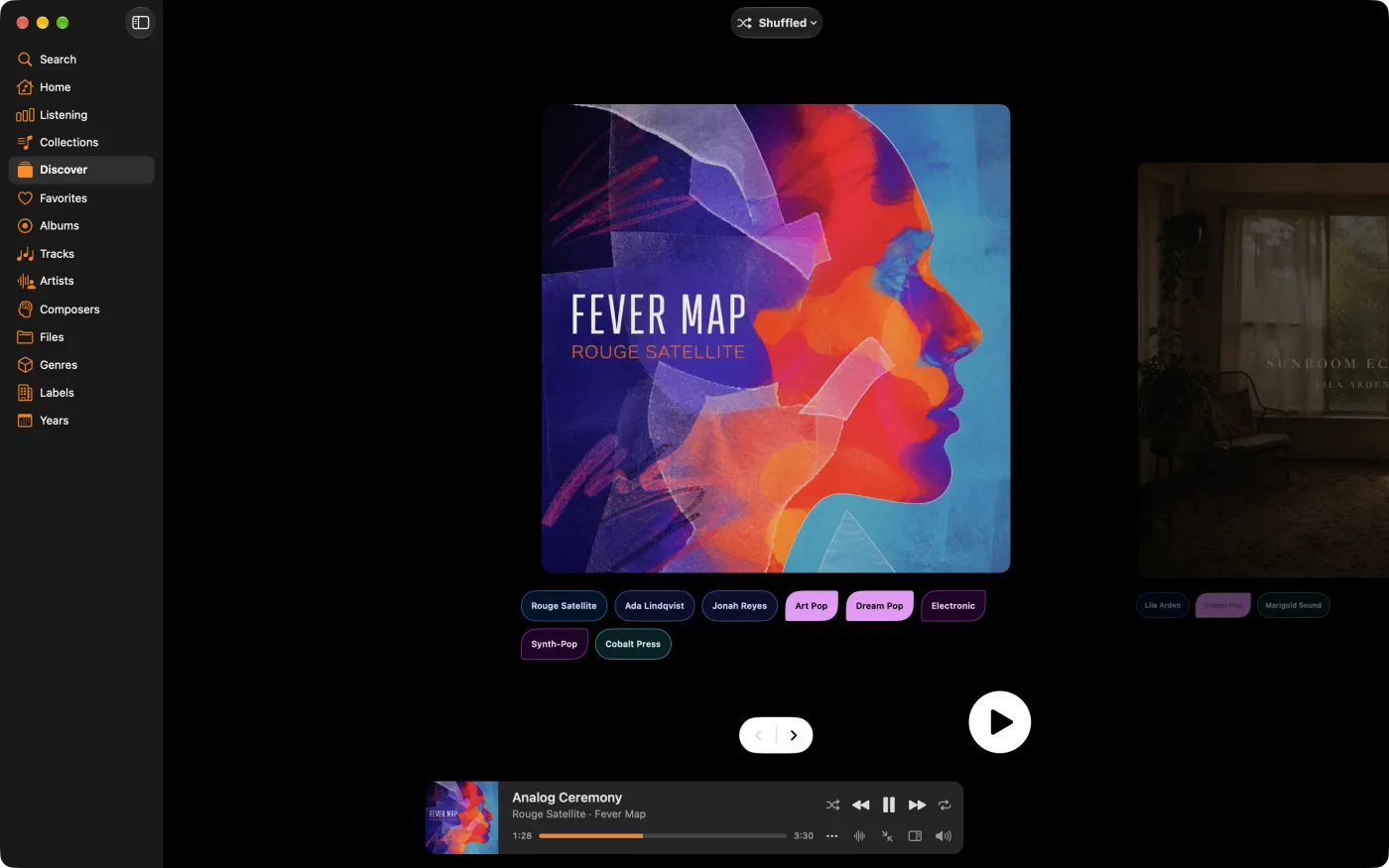
Customizable home screen

Rearrange the home screen and pin the sections you use most. The customization here stays practical: layouts and themes aimed at people browsing a library, rather than decoration for its own sake.

MiniMoon customizable home screen
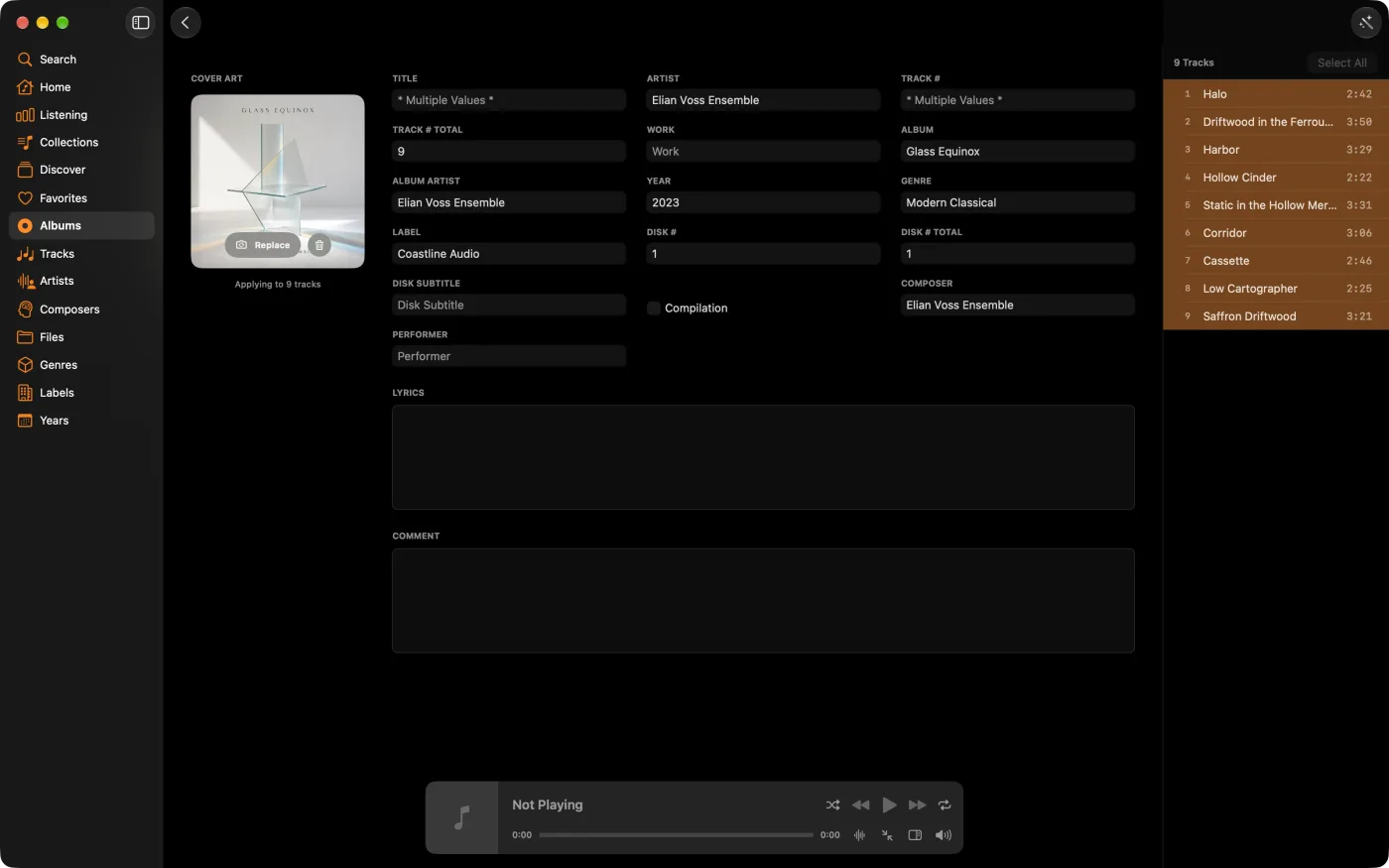
MiniMoon metadata and tag editor

Metadata mastery

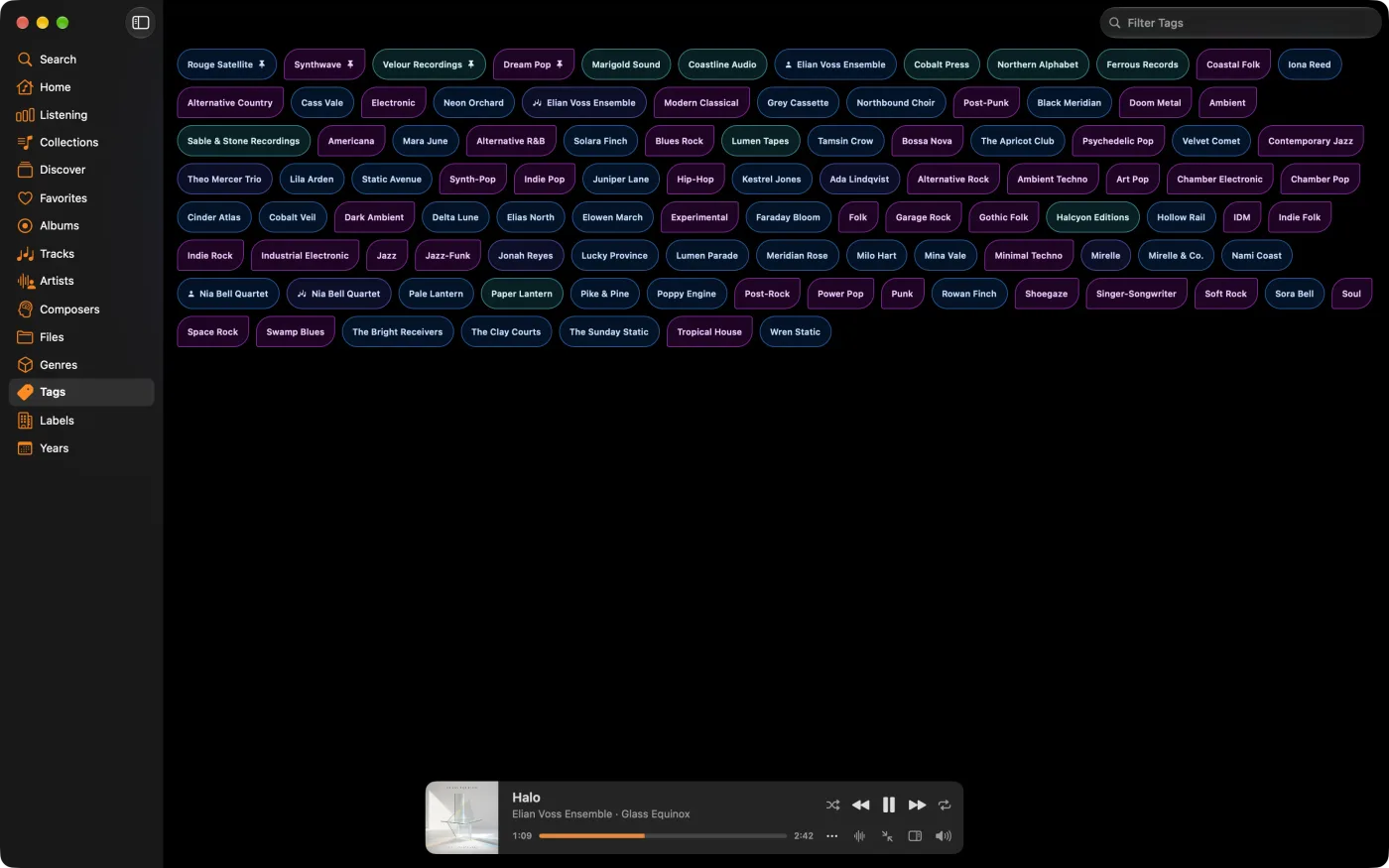
Built-in tag editor

MiniMoon has a full metadata editor with artwork tools and fast search. You can fix tags across MP3, AAC, FLAC, Opus, and AIF files without stopping the music or opening a second app.

Collections built right

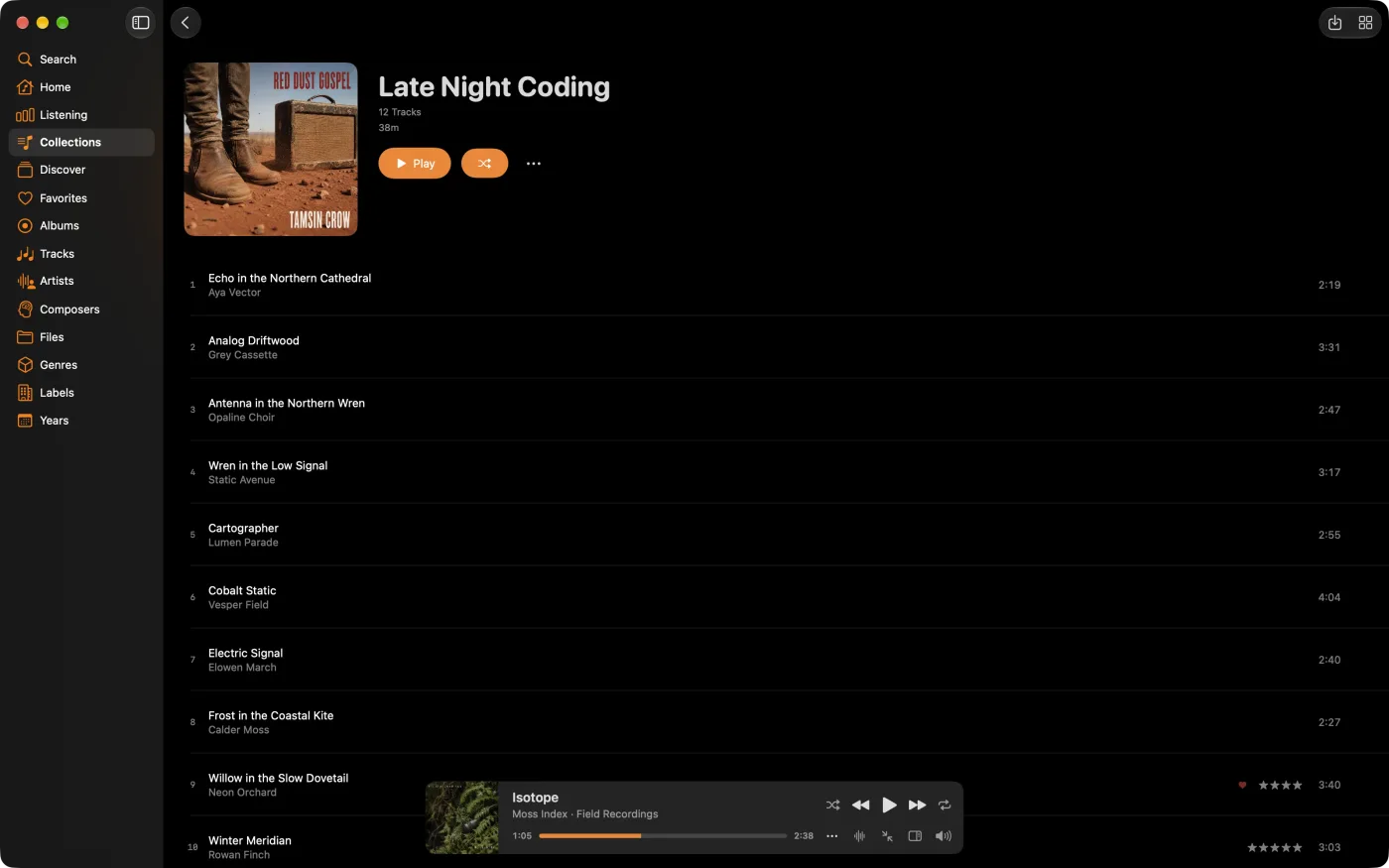
Smart collections

Collections do everything playlists do and more. View one as a list of tracks or as a wall of albums, and keep long listening sessions intact.

MiniMoon smart collections view
MiniMoon custom artist page

Context matters

Custom artist pages

Create custom artist pages with your own notes and imagery. It gives the things you know about a record somewhere to live: where you found it, why you keep going back to it.

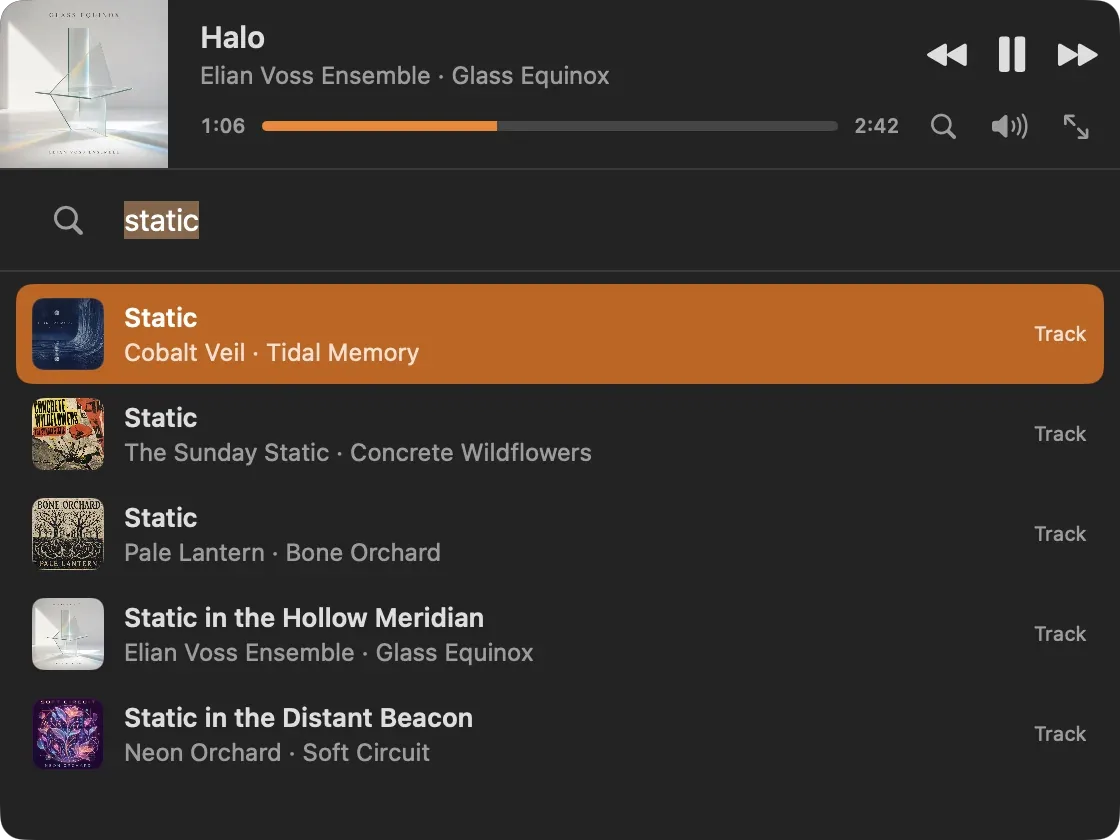
Desktop mini player

Smaller, not simpler

Keep MiniMoon nearby while you work on your Mac. The mini player holds album art, search, queue context, transport controls, and listening status in a small window, so you can change what is playing without losing your place in the album.

Everything you need

The full toolkit

MiniMoon sticks to the essentials: real control over the library, browsing that looks good, and the tools collectors reach for most.

Core

  • Album-centric interface for long listening sessions
  • Local library focus with no cloud dependency
  • Mac desktop player with a compact mini player
  • Customizable home screen and navigation
  • Fast, integrated search
  • Themes chosen for readability

Advanced

  • Scrobbling support with LastFM
  • Metadata editing for multiple formats
  • Artwork search and replacement
  • User-defined smart collections
  • Classical work grouping
  • Mobile library sync for iOS listening

MiniMoon Sync

Keep everything aligned

MiniMoon Sync connects your desktop library to your mobile collection on iPhone, iPad, and Android. Nothing to plug in, and the same library follows you wherever you listen.

Requirements

Built for current Macs

MiniMoon for Mac is designed for modern Apple silicon systems.

Operating system

macOS 26 or later

Mac hardware

Apple silicon Mac, M1 or later

FAQ

Questions, answered

The essentials before you download MiniMoon.

Does MiniMoon require a subscription?
No. MiniMoon is a one-time purchase with a two-week free trial. There are no recurring fees, and you do not need an account.
What audio formats does MiniMoon support?
MiniMoon plays and edits MP3, AAC, FLAC, Opus, and AIF files, so your local music library stays intact.
Is there an iPhone and iPad version?
Yes. MiniMoon is on the App Store for iPhone and iPad, and MiniMoon Sync keeps your desktop and mobile libraries aligned.
Does MiniMoon work offline?
Always. MiniMoon is local-first: your music and metadata live on your device, with no cloud dependency.
What are the system requirements?
MiniMoon for Mac requires macOS 26 or later on an Apple silicon Mac (M1 or newer).
Can I edit tags and album artwork?
Yes. A built-in metadata editor and artwork tools let you fix tags and replace covers across every supported format.

Try it today

A player built for people who still care which album they are listening to.

MiniMoon comes with a full two-week trial. One payment unlocks everything, with no recurring fees.

Also on iPhone & iPadDownload on the App Store