

Liquid Lens logo
Effects camera for iPhone, iPad, and Mac

Liquid Lens

Turn the world into ink, neon, static, or pixels. Point your camera, swipe through effects, add a mirror, and save what catches your eye.

Download on the App StoreDownload on the Mac App Store

Free, with every effect included. Requires iOS 26, iPadOS 26, or macOS 26 or later.

Free
All 15 effects included
Symmetry
Left–right, top–bottom, four-way, Scope
Private
On-device, nothing linked to you

The looks

15 effects, one swipe apart

Swipe across the camera view to explore comic-book ink, pencil sketches, arcade pixels, worn-out VHS, and colors that flow like oil on water. Effects render live on your device, so your saved image matches the preview.

  • Liquid
  • Sketch
  • Cosmic
  • Pulp
  • Toon
  • Poster
  • Scope
  • Arcade
  • Sketch Negative
  • Hitchhiker
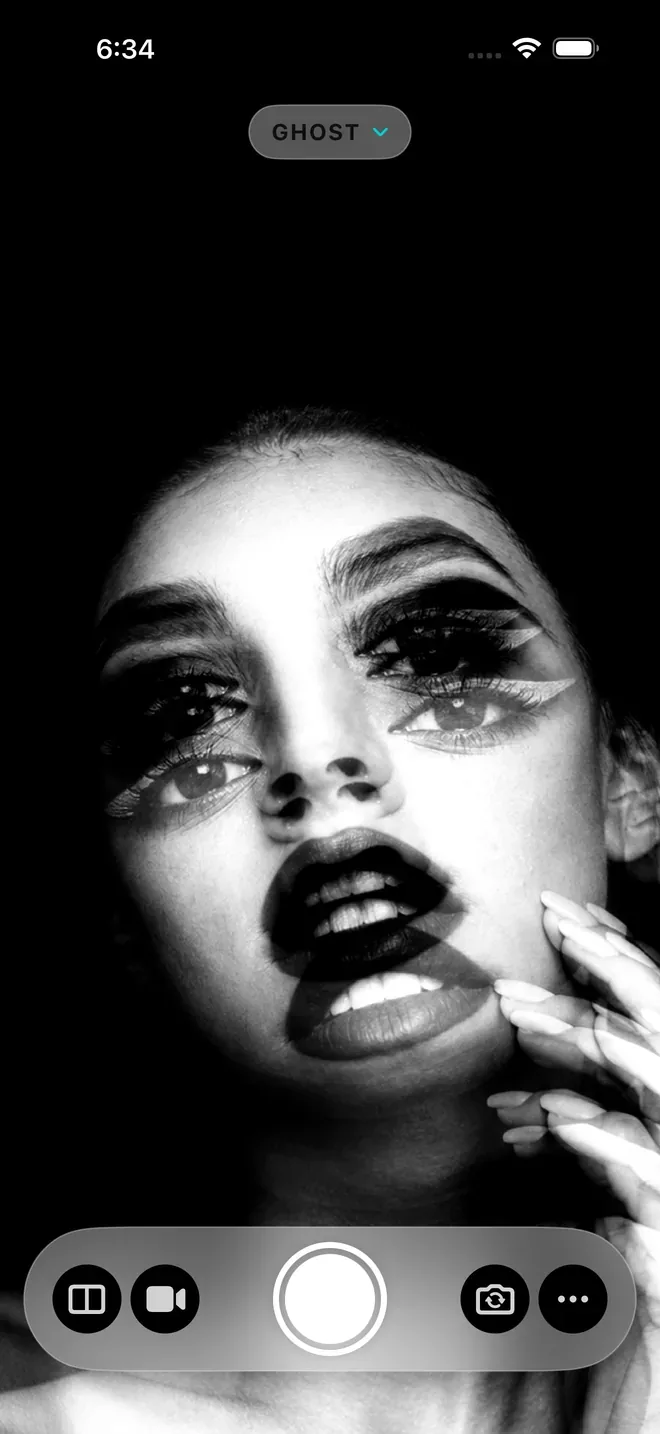
  • Ghost
  • VHS
  • VHS Dot
  • Glitch
  • Possessed

Symmetry

Fold the picture in half

Mirror the frame left to right, top to bottom, or both. Switch on Scope for a slowly turning kaleidoscope. Combine symmetry with any effect and add Warp for a stretching, breathing image. Turn a face into a mask or a bookshelf into a cathedral.
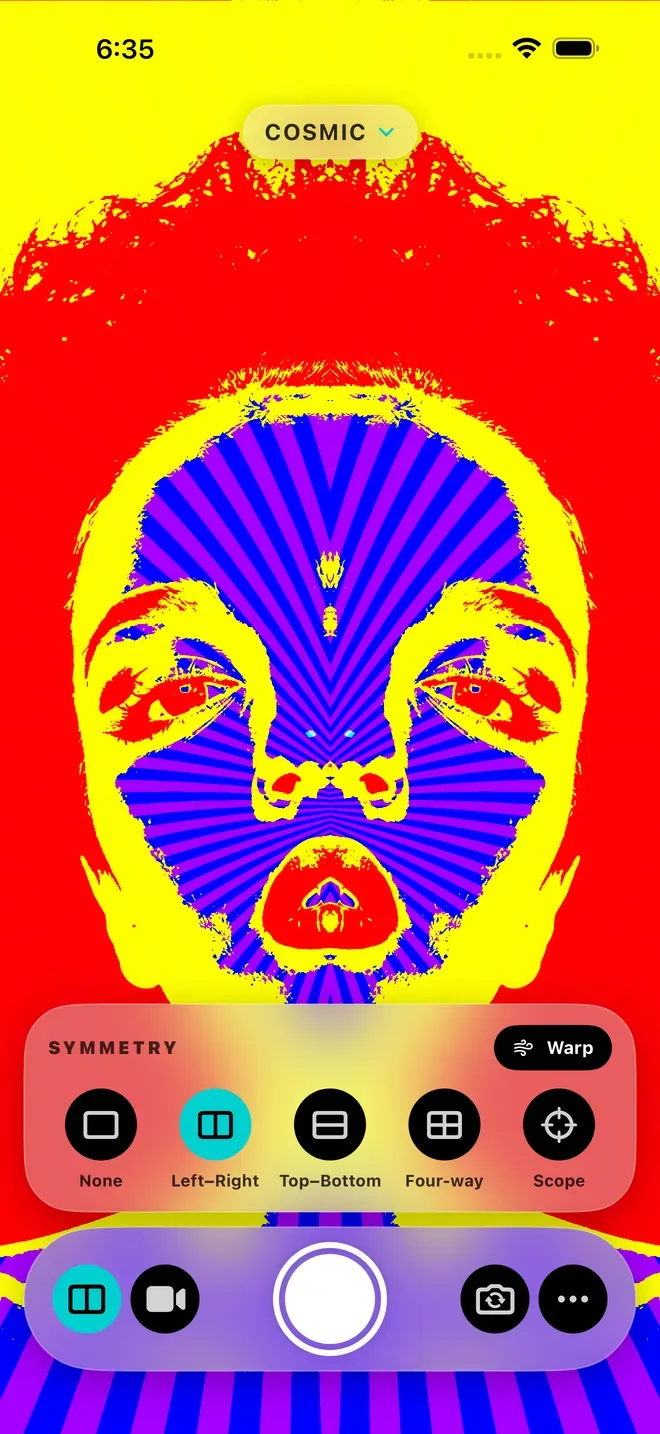
Liquid Lens Cosmic effect with left–right symmetry and the symmetry panel open
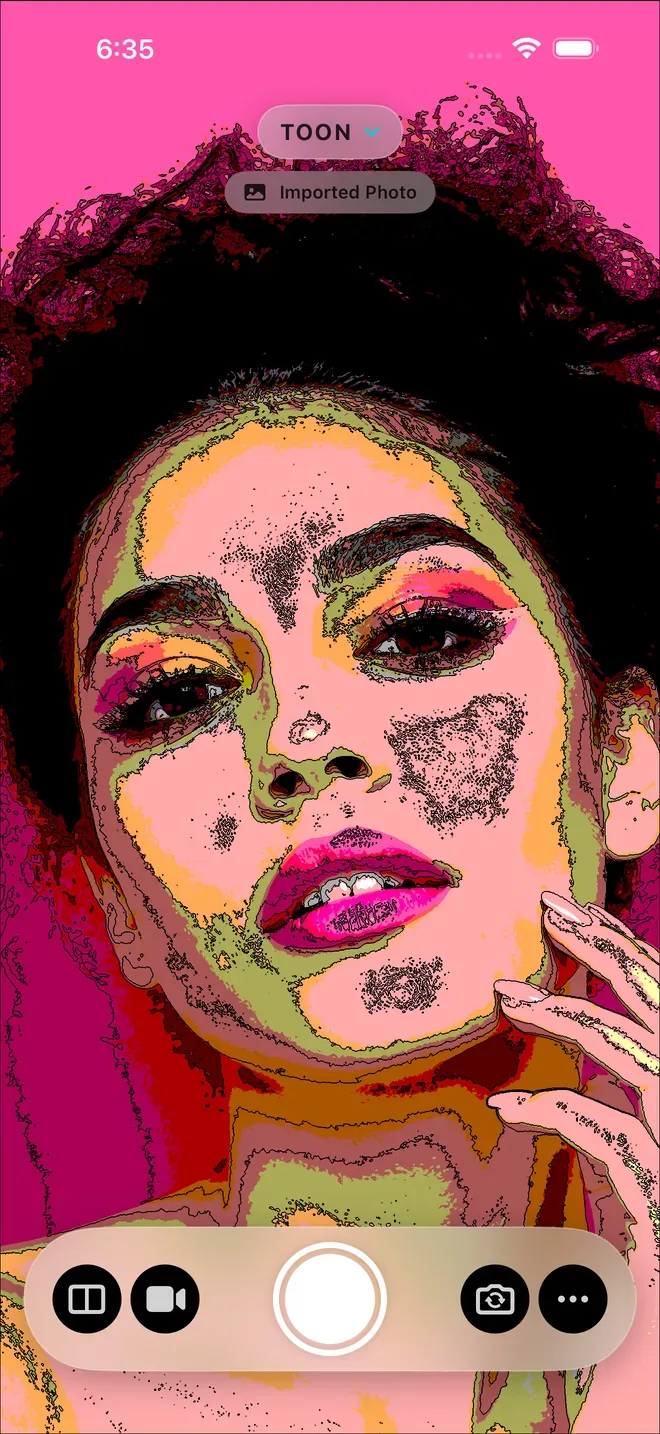
Liquid Lens Toon effect applied to an imported photo

Photo library

Give old photos a new look

Every effect works on pictures you already have. Import a photo from your library and swipe through effects just as you would with the live camera, then save the one you like.

Always moving

Nothing holds still

The effects keep moving. Ghost sends two faint copies of the frame drifting apart like a mistuned TV. Possessed finds your face and makes your eyes swell and glow. Record video, with sound or without, and the motion comes with it.

Liquid Lens Ghost effect with drifting double images

macOS

A bigger mirror

Bring the same effects and symmetry modes to your Mac’s camera. Download the Mac app from the same free App Store listing.

Pricing

Free to play with

4.4 out of 5 from 218 ratings on the US App Store.

Free

  • All 15 effects, symmetry, and Warp
  • Front and back cameras, and photos from your library
  • Photo capture with a small Liquid Lens watermark
  • No account, no ads, no subscription

One-time upgrades

  • Video recording with or without sound
  • Photos without the watermark

Each upgrade is a one-time purchase. No subscription.

Questions and answers

Camera effects, explained

How do I make a kaleidoscope or mirror effect?

Choose an effect and open the symmetry controls. Mirror horizontally, vertically, or both, or choose Scope for a rotating kaleidoscope. Warp adds stretching motion.

Can I apply effects to photos I already have?

Yes. Choose a photo from your library, explore the same effects used by the live camera, and save your favorite result.

Can Liquid Lens record video?

Yes. A one-time upgrade unlocks video recording with or without sound. Animated effects and symmetry are included in the recording.

What is included for free?

All 15 effects, symmetry, Warp, front and back cameras, photo import, and photo capture with a small Liquid Lens watermark. Video recording and watermark-free photos are one-time upgrades. There is no subscription.

Which devices can I use?

Liquid Lens runs on iPhone and iPad with iOS or iPadOS 26 or later, and on Mac with macOS 26 or later. One universal App Store listing covers all three platforms.

Try it today

Point. Swipe. Bend reality.

Explore every effect for free on iPhone, iPad, and Mac.

Download on the App StoreDownload on the Mac App Store